
Whether you’re adding personality to a laptop, putting your logo on a window, or finishing a vehicle graphic, a smooth application lets your design shine. A little preparation goes a long way. These five tips will help you position your sticker, apply it steadily, and enjoy the finished result.
Start by identifying your sticker type. Printed stickers are applied as one piece. Transfer Decals and Printed Transfer Decals use transfer tape to keep the design elements aligned during installation. Our sticker and decal guide explains the difference if you’re unsure which you have.
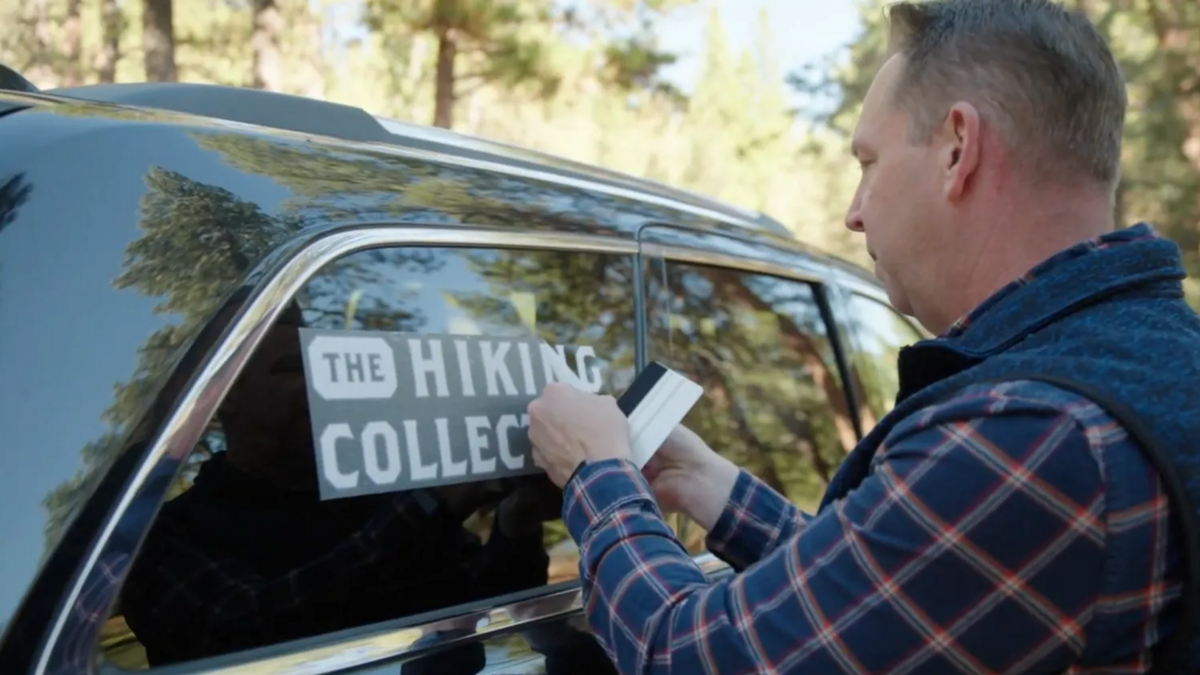
Watch Joel personalize a coffee cup, add a design to a window, and sticker up hiking gear in our Application Alley video. It walks through printed stickers, vinyl lettering, and transfer decals, with examples you can follow for your own project.
Tip 1: Start With a Clean Surface
Clean the application area with soap and water or rubbing alcohol, using a method that suits the surface you’re decorating. Remove dirt, dust, grease, and any residue so the adhesive can make good contact.
If you use soapy water, rinse away the soap. Let the surface dry before starting a dry application. Skip window cleaners such as Windex immediately before installation because they can leave residue that affects adhesion.
Preparing the area first gives you a clean starting point, whether you’re applying a small sticker or a larger vehicle graphic.
Tip 2: Apply When Temperatures Are Moderate
Choose a shaded spot away from extreme heat or cold. Give yourself enough room to lay out the design and reach your tools comfortably.
For transfer decals, our preparation guide recommends 70°F as the optimum application temperature. Plan your installation around moderate conditions so you can take your time with positioning and smoothing.
Tip 3: Check the Position Before Peeling the Backing
Hold the sticker in place with its backing still attached. Use a ruler to check spacing and alignment, then step back to see how it looks. This is the easiest time to adjust the position.
Have your ruler, masking tape, and squeegee ready before you begin. For a large design, a friend can help you hold and position it. A masking-tape hinge keeps the design aligned while you apply one section at a time:
- Large printed stickers: Place a strip of masking tape down the center, following our large die-cut sticker method. You’ll apply one half, then the other.
- Large transfer decals: In the video, Joel places the masking-tape hinge between separate design elements so the tape doesn’t hold down part of an individual piece. A top-edge hinge is another option, shown in our large transfer-decal guide.
Before peeling a transfer decal’s backing: Rub a squeegee or plastic card firmly across the transfer tape. This helps the vinyl stay with the tape as you peel the paper backing away.
If a piece stays on the paper backing: Lower the backing into place again, press across the transfer tape, and slowly try peeling the backing away once more.
Tip 4: Apply Gradually and Smooth as You Go
Lower the design gradually and smooth it into place as you work. Breaking a large application into smaller sections makes it easier to keep everything aligned.
Small printed stickers: Peel the sticker from its backing, place it where you want it, and smooth it down. On a gently curved surface, like the bottle in the video, start at one edge and work gradually around the curve.
Peeling tip: A kiss-cut sticker leaves extra backing around the sticker’s shape, making it easier to get hold of the edge. If your sticker has slit backing, bend along the slit to separate the liner and peel it away.
Large printed stickers: Use the center hinge from Tip 3 to apply one half at a time:
- Lift one half of the sticker and peel the paper backing away from that half.
- Cut away that exposed section of backing, keeping the masking-tape hinge in place.
- Slowly lower the sticker onto the surface. Smooth from the center toward the outer edges with a felt-edge squeegee or a plastic card wrapped in a soft cloth.
- Once the first half is attached, remove the masking tape. Fold back the other half, peel away the remaining backing, and smooth the rest of the design into place.
For transfer decals: Once you’ve prepared the tape and peeled away the backing, lower the design into position and press it firmly onto the surface with a squeegee or plastic card. Smooth from the middle toward the outer edges.
Wet or dry? The large printed-sticker method above uses dry application. If you’re considering a wet method, confirm the approach for your product and material with our team before adding water.
Tip 5: Remove Transfer Tape Slowly
Transfer tape keeps separate letters and graphic elements together while you install the decal. Once the design is attached, removing the tape reveals the finished, background-free look.
How long should you wait? For best results with the methods in our standard Transfer Decal instructions and large transfer-decal guide, wait 24 hours after application before removing the tape. For Printed Transfer Decals, use the timing supplied with your product.
When it’s time, peel the transfer tape back slowly at about a 45-degree angle, as Joel demonstrates. Choose a direction that helps you avoid catching small corners and separate letters, and keep an eye on the design as you go.
If the vinyl lifts as you remove the transfer tape: Lay the tape back down and press the design onto the surface again. Then continue slowly, leaving the vinyl in place.
Ready to put your design in place? Explore our installation guides for the matching illustrated steps and application tools for your project. If you’d like a hand getting started, our team is happy to help.


